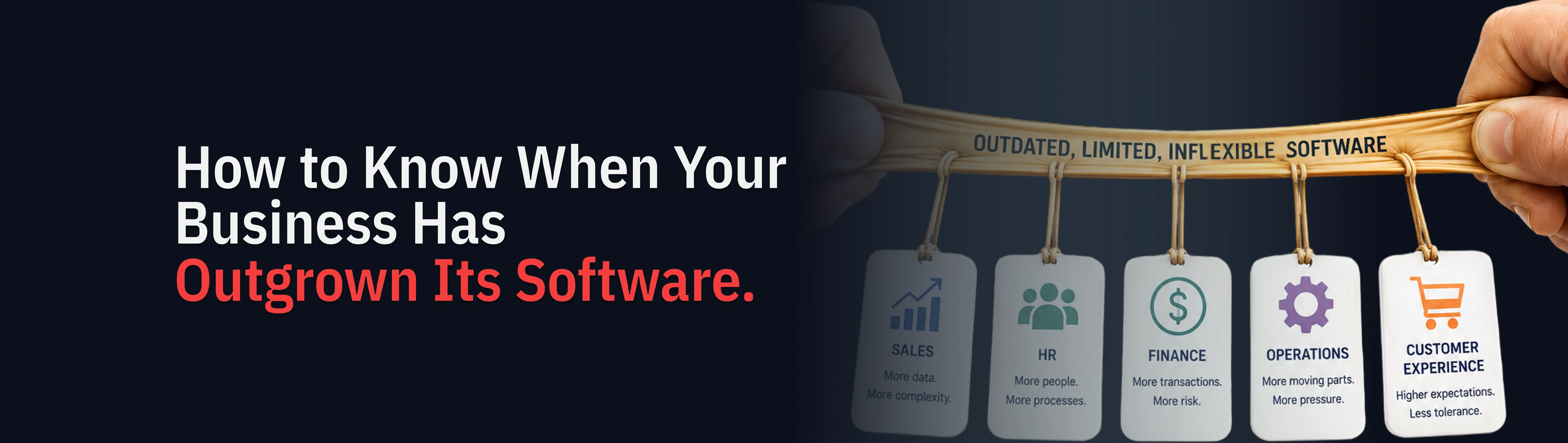
How to Know When Your Business Has Outgrown Its Software

We’ve seen there is a specific kind of frustration that shows up in growing businesses, and it is surprisingly hard to name when you are in the middle of it.
Your team is working hard. Order volumes are up. Your customer base is growing. And yet, somewhere underneath all of that, things feel slower than they should. Decisions take longer. Reports are not quite right until someone manually adjusts them. A new hire needs four weeks to understand a process that should take four days.
The software is not broken. It is just not keeping up.
60 to 80% of IT budgets in most organisations go toward maintaining existing legacy systems rather than building new capabilities. Source: Gartner. This leaves a fraction of available resource for the innovation that growth actually requires.
That gap between what your systems were built to handle and what your business now needs is one of the most common and quietly damaging problems in growing companies. It rarely announces itself with a system crash. It arrives gradually, through workarounds that become habits and through inefficiencies that people stop noticing because they have become part of how the day works.
This guide is about how to recognise that moment clearly enough to act on it, before outdated business software starts limiting what your business can do next.
The businesses that scale cleanly are not the ones that never face this problem. They are the ones that recognise it early enough to act before it becomes a bottleneck.
The Hidden Operational Cost of Legacy Systems
As businesses grow, the capability their operations require increases steadily. Legacy systems accumulate drag. At the inflection point, the gap between what the business needs and what the systems deliver becomes a visible daily cost.
Stage 1 Systems fit the business Current tools handle the volume. Manual processes are manageable. Workarounds are minimal. |
Stage 2 Gaps start appearing Workarounds multiply. Reports take longer. Onboarding slows. The system is showing its age. |
Stage 3 Drag becomes visible Manual effort consumes team capacity. Decisions slow. Integration failures compound daily. |
Stage 4 Modernisation unlocks growth Connected systems, clean data, and documented processes become the foundation for AI and scale. |
60-80% of IT budgets spent on legacy maintenance rather than new capabilities (Gartner) | 10-15 hrs recovered per person per week when a UK logistics client unified three disconnected systems (2Base, 2024) | 70% of digital transformation initiatives fail to meet objectives, with legacy systems as a leading factor (McKinsey / BCG) |
Why Legacy Software Slows Growing Businesses
When a business is small, software is primarily about storing and retrieving information. A CRM to track customers. An accounting tool to manage invoices. A spreadsheet to coordinate the team.
As the business grows, the demands change fundamentally. It is no longer just about storage and retrieval. It is about real-time coordination across teams, roles, and locations. Different people need to see the same operational picture simultaneously. Decisions that used to be made by one person who knew everything now need to be supported by data that multiple people can trust at the same time.
Legacy software built for an earlier, simpler version of the business is rarely designed for this. It was not built wrong. It was built for a different set of problems. When those problems change, the tools begin to show their limits in ways that compound over time.
Why operational drag compounds in scaling businesses • Legacy systems often hold years of undocumented business logic that is difficult and risky to replace • Workarounds multiply as teams adapt to software that no longer fits how the operation runs • Software bottlenecks slow hiring, onboarding, reporting, and decision-making simultaneously • The cost of addressing this increases the longer modernisation is deferred |
Signs Your Business Has Outgrown Its Software
The most reliable early indicator is not a technical alert. It is a behavioural pattern in the team. People start compensating for what the system cannot do, and over time those compensations become invisible because they become normal.
Your team has developed workarounds that nobody questions anymore
When a team member copies data from one system into a spreadsheet before sending a daily report, that is a workaround. When someone has to log into three different tools to answer a single customer query, that is a workaround. When the operations update lives in a messaging app because the project management system does not show the right information at the right time, that is a workaround.
None of these feel urgent individually. Together, they represent a significant and measurable drain on your team's capacity. They also represent a continuity risk: when the person who maintains the workaround leaves, the knowledge leaves with them.
Operational reporting requires manual effort every time
If producing a meaningful report requires someone to pull data from multiple sources and compile it by hand, your systems are not doing what they should. Reporting should be the output of a well-functioning operation, not a separate project that someone completes manually each week.
Manual reports are always slightly out of date, dependent on one person doing everything correctly, and a source of compounding error. The quality of decisions made from them is constrained by the process behind them.
New people take too long to become productive
Onboarding time is a useful proxy for operational complexity. In a well-structured business, a new team member should understand the core of how the operation works within a few weeks. When onboarding consistently takes months, it is usually because critical knowledge lives in the heads of experienced people rather than in the systems themselves.
Decisions are slower than the business needs them to be
When the information required to make a decision has to be assembled manually, decision-making slows. When the same data looks different depending on which system you check, confidence erodes. Leaders in growing businesses often describe this as a gut feeling that things are taking longer than they should. That feeling usually has a root cause in the technology that can be identified and addressed.
Not sure where your systems stand? Take our free Legacy System Health Check (data track)- an Interactive diagnostic, 5 to 7 minutes, ends with a scored report and a short PDF roadmap. Get a personalised score. Legacy System Health Check (data track) → [assessment link] |
Real-world example: UK logistics business A logistics client we worked with had three core operational systems that each functioned individually. The problem was that the information they held did not connect in a way that was usable at the moment decisions needed to be made. The operations team was spending significant time every day manually reconciling what three systems were each saying differently. When we built a unified operational view across all three systems, each person in that team recovered 10 to 15 hours per week. Not from new technology. From removing the reconciliation that poor integration had created. This pattern repeats consistently across industries. The operational drag is real, measurable, and solvable. |
Software Bottlenecks vs Operational Problems: Understanding the Difference
One of the more common mistakes at this stage is misdiagnosing what you are dealing with. It is tempting to attribute slow operations to a people or process problem when the actual constraint is a technology problem.
It also goes the other way. Sometimes what looks like a software problem is actually a process problem that better software would simply automate into the wrong output faster. Replacing software without first understanding the operational problems you are trying to solve is one of the most reliable ways to spend significant money without improving the situation.
The right question before any technology decision is not which new system we should move to. It is what operational outcomes do we need, and what would our systems need to do differently to produce them.
How Successful Businesses Approach Legacy System Modernization
The businesses that handle this transition most effectively share a few consistent characteristics.
They treat the diagnosis as seriously as the solution
Before making any technology investment, they invest time in understanding precisely what is not working and why. This means talking to the people who do the operational work every day, not just reviewing systems from a management perspective.
They take a phased approach to replacing legacy systems
A phased approach to legacy system modernization that maintains business continuity while making targeted improvements is almost always more reliable than a complete replacement programme undertaken all at once. Legacy systems often contain years of undocumented operational logic that must be preserved through the transition.
They define success in operational terms, not technical ones
The right question after a technology change is not 'is the system running well?' It is 'has the operation improved in the ways we needed it to?' That requires defining what improvement looks like before the project begins, and measuring against those outcomes throughout.
They choose partners who understand operations, not just technology
A partner who asks about how the business operates before talking about how the technology will work is more likely to produce a lasting outcome. Shared understanding of the operational problem is what determines whether the solution actually fits.
Replacing Outdated Business Software: Where to Start
If you recognise any of these patterns in your own business, the most useful next step is not to start researching software options. It is to get a clear picture of what is actually happening operationally.
Map the places where manual effort is substituting for what your systems should be doing. Calculate, even roughly, what that effort costs in time and capacity. Talk to the people doing the work and ask them what frustrates them most about the tools they use.
At 2Base, we have been working with growing businesses on exactly this kind of challenge for sixteen years, across insurance, logistics, hospitality, travel, and related sectors. What those businesses share is that they reached a point where their technology was constraining their growth rather than supporting it, and they wanted a partner who could help them understand the problem clearly before proposing a solution.
Operational Technology Health Check: 12 Signs to Review ☐ Reports require manual compilation from more than one source ☐ Your team has workarounds that have become normal habits ☐ Core business systems do not share data reliably with each other ☐ New hires take more than 4 to 6 weeks to become fully productive ☐ Key operational knowledge lives with specific individuals, not in documentation ☐ Decisions frequently have to wait for data to be assembled ☐ Different systems show inconsistent information about the same thing ☐ Your tech setup would struggle if the business doubled in the next 18 months ☐ You have attempted integrations that have partially worked or failed ☐ Your current software was not built for the volume or complexity you now operate at ☐ Staff regularly use messaging apps to fill gaps in your operational systems ☐ You have low confidence that your current tech will support your next stage of growth |
If you identified five or more of these, it is worth a structured conversation about what a realistic improvement path looks like for your business.
Take the Free Operational Technology Readiness Assessment
We offer a structured 30-minute operational technology assessment for growing businesses in the US and UK. In that conversation, we will help you identify where your current systems are creating friction, where your data gaps are, and whether your current setup is a foundation for growth or a barrier to it.
What the assessment covers • Where manual effort is substituting for what your systems should do automatically • Where your data gaps are relative to where the business is going • Whether your current setup is ready for AI investment or needs foundational work first • What a realistic, prioritised improvement path looks like for your specific situation |
The assessment stands on its own. Book your free 30-minute review at [assessment link].